








Widgets under your card
Your Discord server, anime list, favourite songs, tech stack and more, in the order you choose.
1 min read3 parts
01Switch them on and order them
- 1Open Customize → Widgets.
- 2Switch a widget on with its toggle.
- 3Drag it by its handle to move it up or down your page. Tap its name to edit it.
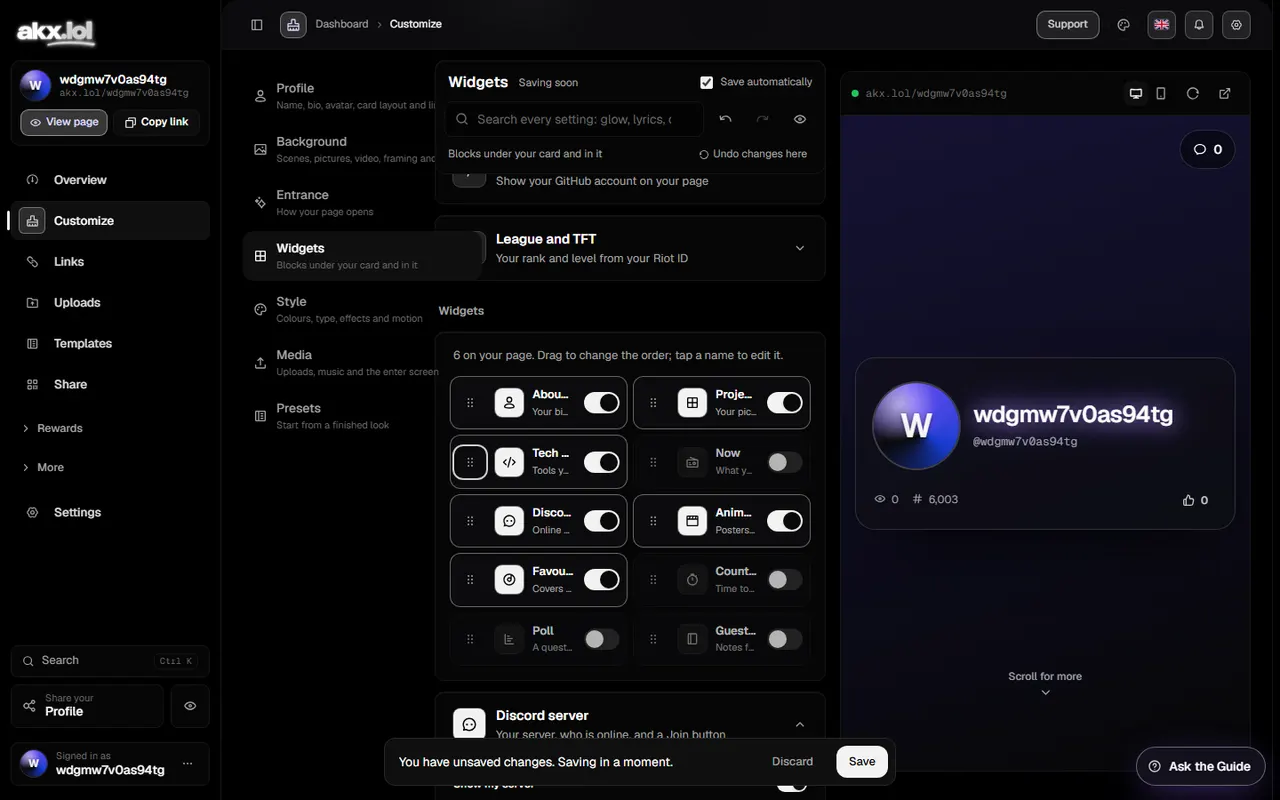
02Every widget
| Widget | What it shows |
|---|---|
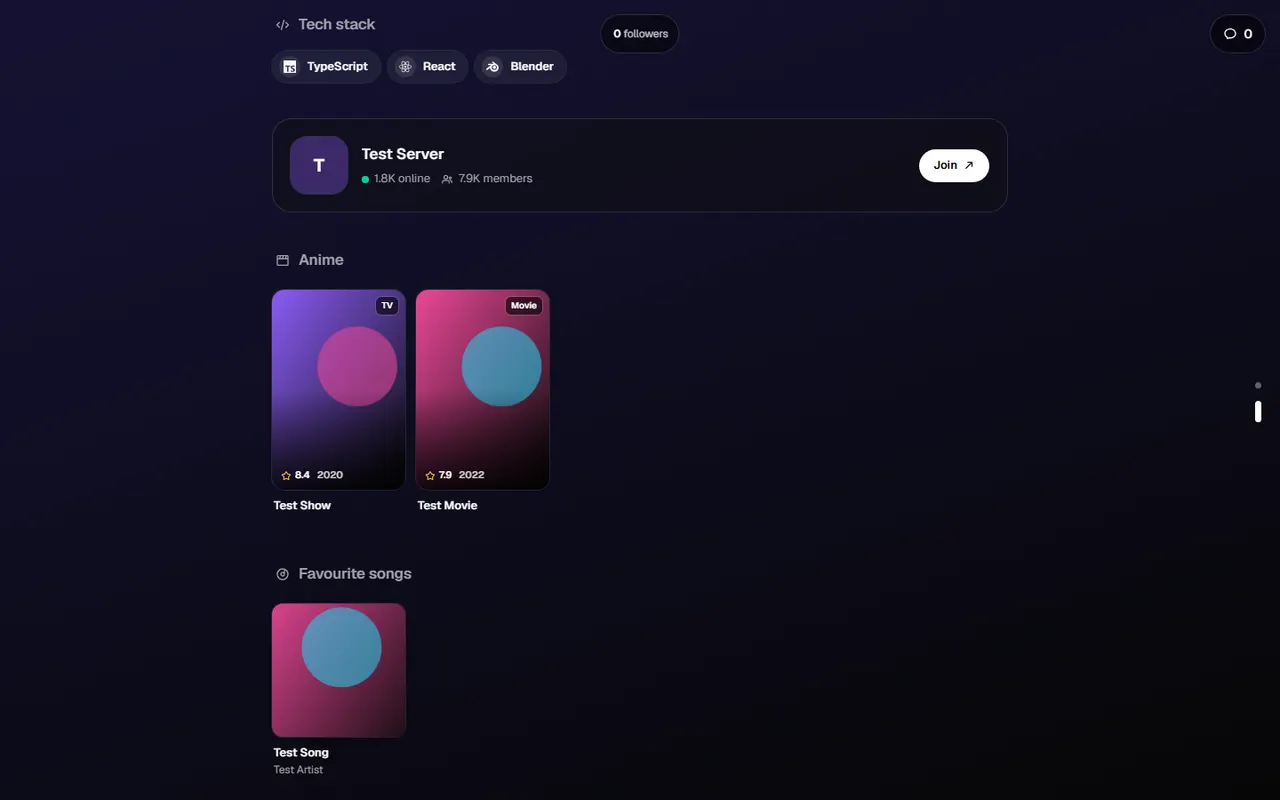
| Discord server | Your server's picture and name, how many people are online, and a Join button. Paste an invite that never expires. |
| Anime list | Up to 12 shows with posters, scores and years. Search AniList and tap a result to add it. |
| Favourite songs | Up to 12 songs with their covers. Each one opens on Apple Music. |
| Tech stack | The languages and tools you use, each with its own logo. |
| Now | Short lines about what you are playing, making, watching or reading. |
| Countdown | Days, hours and minutes to a date. |
| Poll | A question with 2 to 4 answers. Each visitor votes once. |
| Guestbook | Signed-in visitors leave you a short note. You can hide or delete any. |
03Adding anime and songs
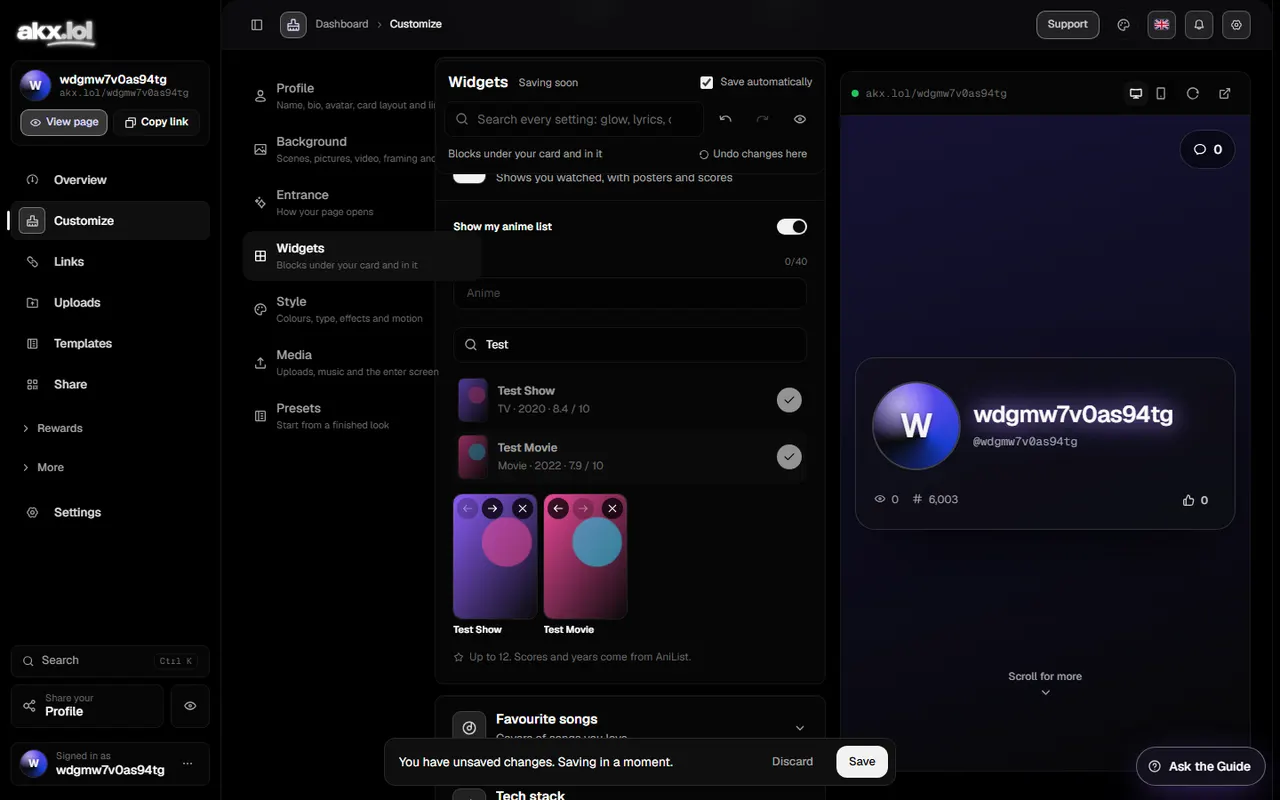
- 1Type a name into the search box. Results appear as you type.
- 2Tap a result to add it. Use the arrows on a cover to move it, or the cross to remove it.
Did this answer your question?