








Make your page in 2 minutes
Claim a name, make it yours, share it. One address, akx.lol/yourname, free.
1 min read4 parts
011. Claim your name
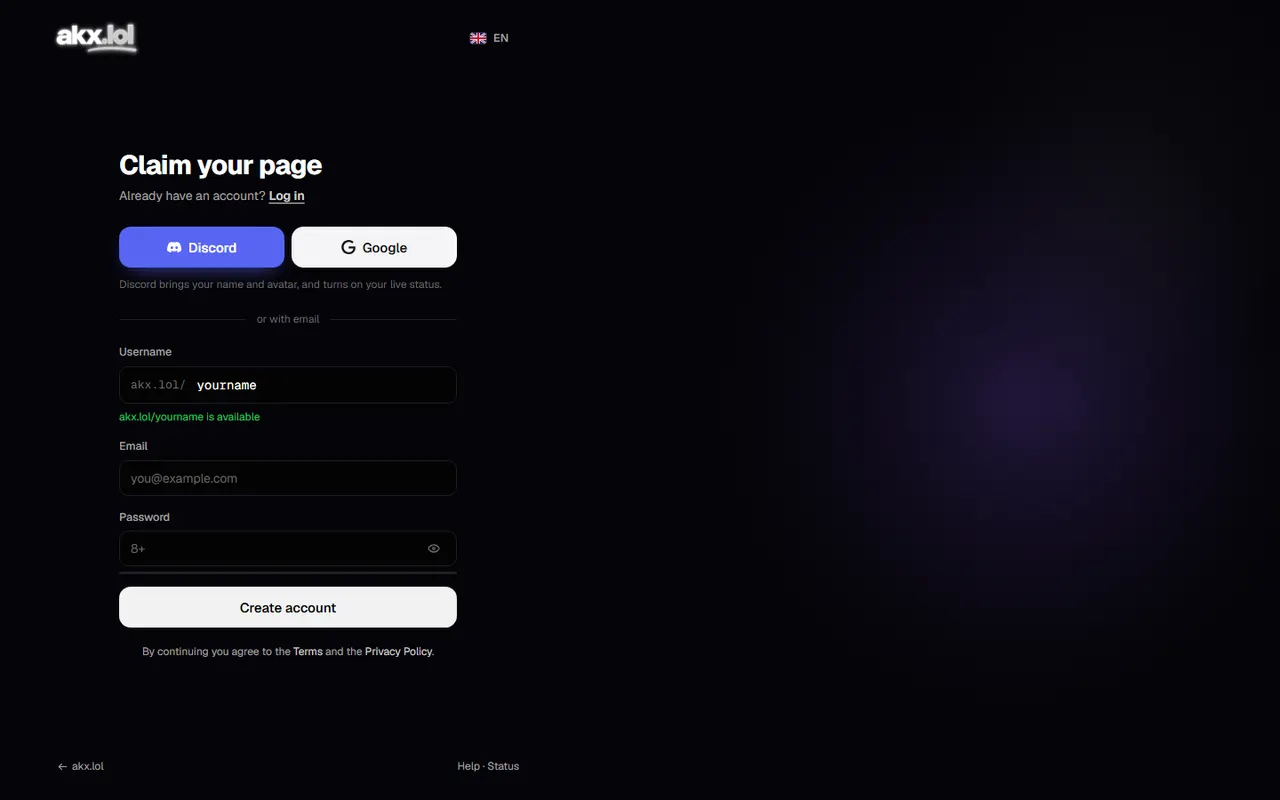
- 1Type the name you want on the home page. It tells you straight away if it is free.
- 2Sign up with Discord, Google or an email address.
- 3Your page now lives at akx.lol/yourname.
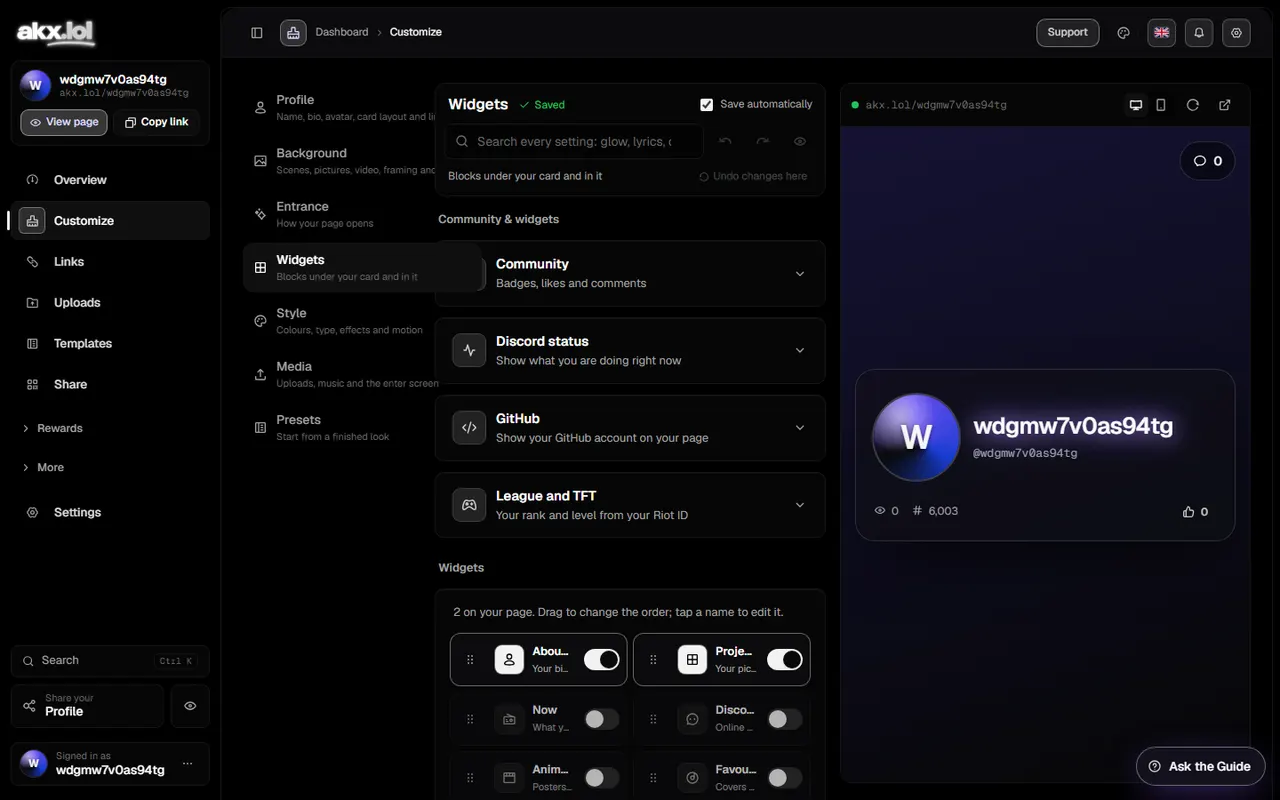
022. Make it yours
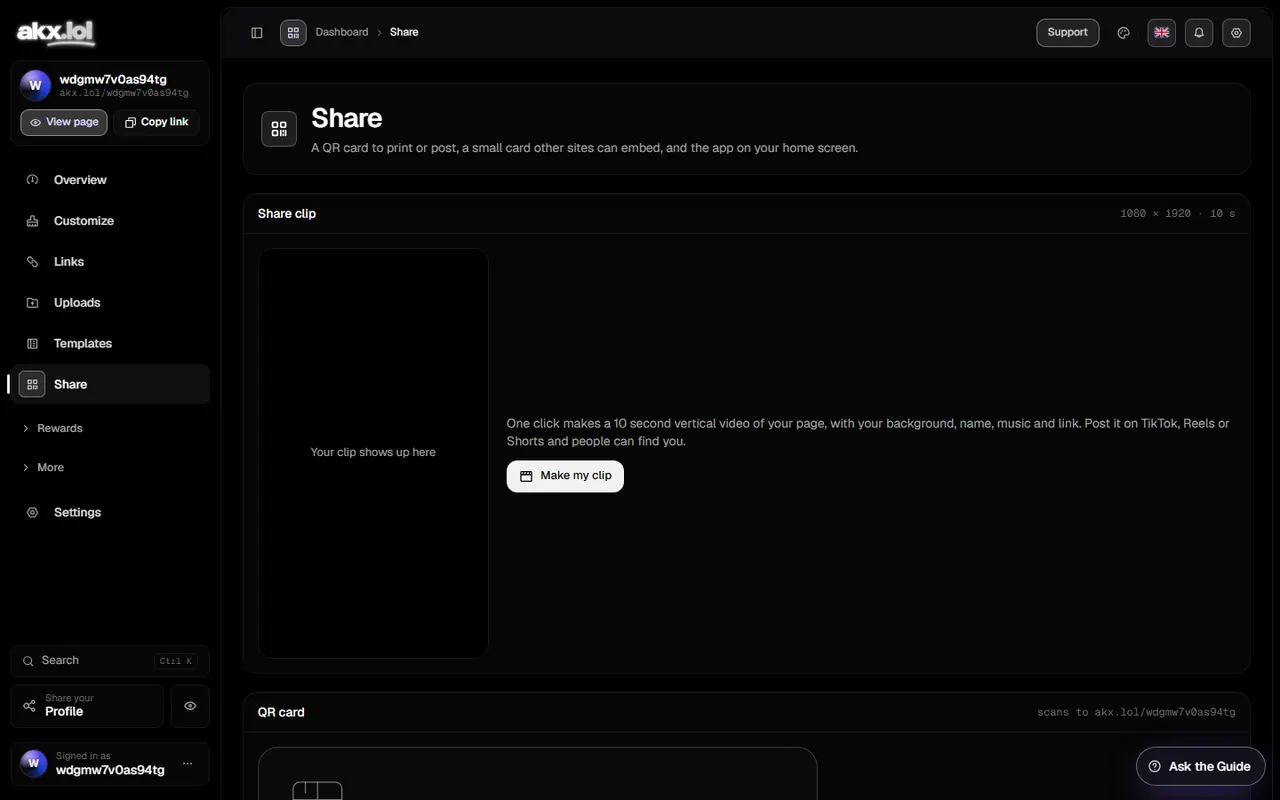
033. Share it
04Where things are
| Dashboard page | What you do there |
|---|---|
| Overview | Views, likes and comments over time, and what to do next. |
| Customize | Everything about how the page looks and sounds, with a live preview. |
| Uploads | Avatar, banner, background, music tracks and custom cursor. |
| Links | Your socials and websites, in the order you choose. |
| Badges | Badges you have, and which to show or hide. |
| Templates | Apply a look someone shared, or share yours. |
| Settings | Password, two-factor sign-in and signed-in devices. |
Did this answer your question?