






Templates
Apply a look someone shared, or save and share your own.
01Using a template
Preview shows exactly what you would get. Apply copies the whole page 1:1, with its own copy of the files: avatar, banner, background, bio, music, stickers, Projects, fonts and effects. You keep your name, username, links, location and connected accounts. Premium options and shop effects you do not own stay off until you do. Your old look is saved as a backup, but your old bio and song list are not, so note them first.
02Use this look
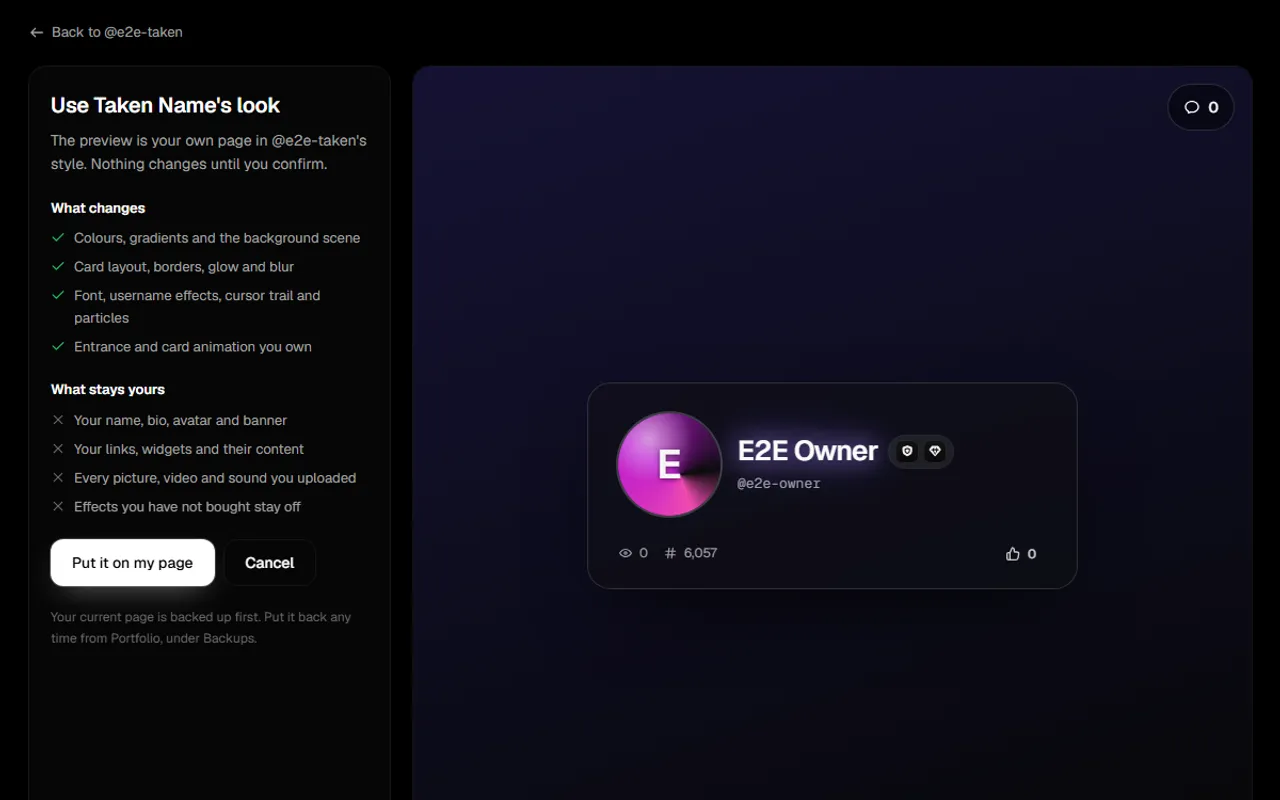
On someone's page, the palette button next to their followers opens Use this look: your own page in their style, before anything changes. Put it on my page copies colours, gradients, the background scene, card style, font and effects. Their pictures, videos, sounds, text, links and widgets never come along, and your own stay. Effects you have not bought stay off. Your page is backed up first; put it back from Portfolio → Backups.
More in Your page
- The Customize studioSeven sections, a live preview of your real page, and saving that you control.
- BackgroundsColour, gradient, picture, video or a live 3D scene, and how to keep text readable.
- Avatar and decorationsYour picture, its size and shape, and the animated decorations around it.
- Card, banner and link styleThe box your profile sits in, the banner above it, and how link icons look.